Agentic Engineering: 5 lessons from a 4-day AI experiment

Building a camera translation app from scratch with £100 worth of AI
I've had a lot of fun recently creating software with AI agent systems like Claude Code, including a camera translation app called VoxieCam that took 4 days from scratch to having a very nice product. Apple's approval process doesn't run at AI speed unfortunately, so it is now in a queue somewhere to allow wider scale testing before App Store publishing. I have 5 reflections to share about the process, some already well known, and some that surprised me. Apologies for radio silence on the usual AI news, this has been occupying my time instead!
Why now?
Although the idea of vibe coding has been around since February 2025, many people reported a significant improvement in the capability of AI coding tools towards the end of last year, with the launch of Claude Code 2.0 (end September 2025) and the Opus 4.5 model (November 2025), for instance see Oikon's Reflections of Claude Code. This feels like a good time to illustrate just how much can be done in even a few days with the latest AI agent tools as of March 2026. On a personal note, it's also interesting for me to come full circle with the idea of AI agents: I presented at AGENTS `97, the first international conference on autonomous agents, in 1997, and developed an AI multi-agent architecture that served personalised news to communities of users (all woefully primitive by today's standards!).
Aside: What is VoxieCam?
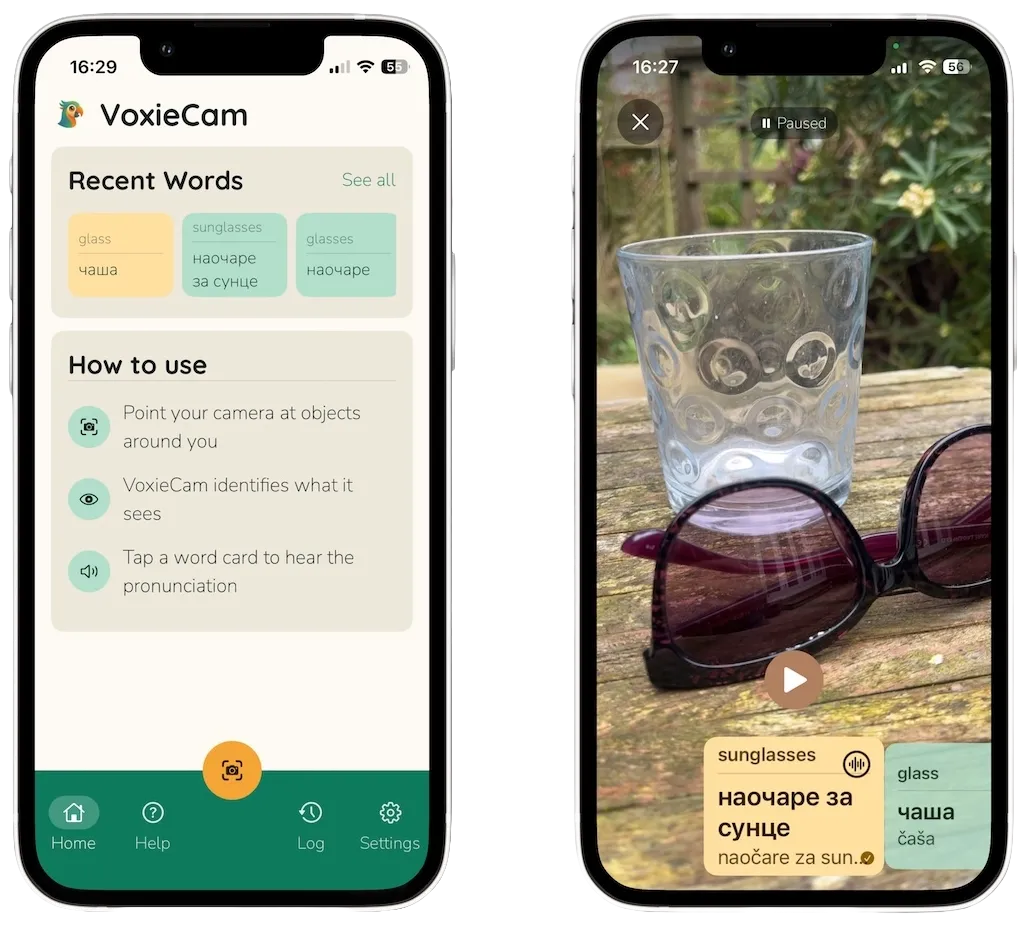
A member of my family was learning Serbian last year, and kept pointing at things and asking "what's that". I thought it would be fun to build an app that could speak the Serbian translation of whatever the camera was looking at. That's VoxieCam.
An iOS app that uses the camera to identify objects, translate their names into another language, and speak the translations aloud. Designed for language learners. Point the camera at anything, labels appear in English and the target language. Tap a label to hear it spoken.
I tried building it last year with last year's AI, and it kind of worked, but it was slow and a bit rubbish. I abandoned it. But now, thanks to starting from scratch with Claude Code, it works. It was intended to be a toy experiment to help me get more experience with the latest AI tools and to distribute to a handful of people. But somewhere along the way it became a professional looking iPhone app, tested, ready for additional languages, running entirely on device with real-time recognition, with the vast majority of it created over 4 days. I didn't write or review any code, and indeed the AI handled a lot more than just the coding as you'll see. More on how it works at the end of this post.
The VoxieCam app isn't yet available on the App Store (it is still awaiting approval for testing) but I'll update this post when it is.
Here are some of my reflections on this process and what it means for software development.
1. It is still engineering
The phrase vibe coding is cute but it no longer captures the current experience of creating software with AI agents. I prefer agentic engineering, coined by Simon Willison who is a trailblazer in exploring and explaining this new world. This isn't just for prototypes or toy examples. These AI tools are perfectly capable of building solid production systems, with thorough testing, performance optimisation, observability, security, reliability. But only if you do treat this as a design and engineering challenge, and set serious expectations for your agents. The twist is: this is a kind of software engineering we don't really know how to do yet. We'll all make mistakes as we learn. The practices are only just emerging and will continue to evolve rapidly. There are new risks. It demands skill and experience. It is and will be disruptive. But we've already passed the tipping point.
2. Design and test first, communicate through shared documents
I decided to follow advice I'd already heard from wise sources who'd been at this longer. Ensure you spend time iterating on a document that describes the architecture and plan, long before you start any implementation. At this stage you can refine expectations and steer the design. The second bit of advice is to tell the AI to do everything test-first, "red-green", make sure it has created meaniningful tests that fail ("red") before implementing the solution and ensuring they pass ("green").
Finally, I always asked it to work with a clear to-do list. Add new items, keep track of work in progress, tick things off when done, add new tasks or bugs to the list. I was using a simple markdown document, although in a professional setting this would be your tracking system like Jira. Over time we added ways to document decisions, discovery "spikes" and their findings, design systems, a "work log" that would be frequently updated.
In the end, agentic engineering is how you manage the agent's context, and the patterns for this are only just emerging.
Why is this so important? Two reasons:
- It creates a medium for you and your agent to communicate, outside of the chat window. You can more clearly see the plan, what's done and not, what ideas are being explored. It saves you having to dip into the code itself. You can both edit the documents.
- The agent's context window fills up regularly. You get maybe a couple of hours work before performance declines ("context stress") and then it basically forgets everything and starts again. The genius of Claude Code is that it can "compact" the conversation and keep going in a reasonably sensible way, but even with that it will lose track. If it has stable documents to refer to that explain the project, the plan, the decisions, the phases, the next tasks, it is quickly back up and running.
3. It's not just coding
You hear this critique a lot in software development circles: coding isn't really the hard thing about being a software engineer, it is all the other work. The architecture, the design, the testing, understanding the requirements, relating to the product manager and designer, thinking through production and deployment issues, scaling. A robot that can code faster doesn't really solve the problem. I'd say this is entirely correct when it comes to the human relationships, but the robot can very competently do a lot more than write the code. In my project it created branding, a design system, a name, a privacy policy, an architecture, it prioritised tasks and bugs, it sequenced work, it did discovery work and researched solutions ("spikes" in software terminology), it wrote documentation, it reviewed against accessibility and design guidelines, it created testing strategies, it critiqued its own work, most importantly it endlessly and creatively fixed problems and found solutions when things weren't working.
4. The AI can do "manual" testing
This was a surprising one for me (although obvious in retrospect). When using a tool designed for AI software development, like Claude Code, it is easy to forget that you're working with a fully featured LLM; versions of the same models that are also available via chat interfaces. Which means it can do a lot of the same kinds of testing that a human would do, relying on knowledge, judgment, vision. Here's a few examples from my VoxieCam project:
Word senses and synonyms
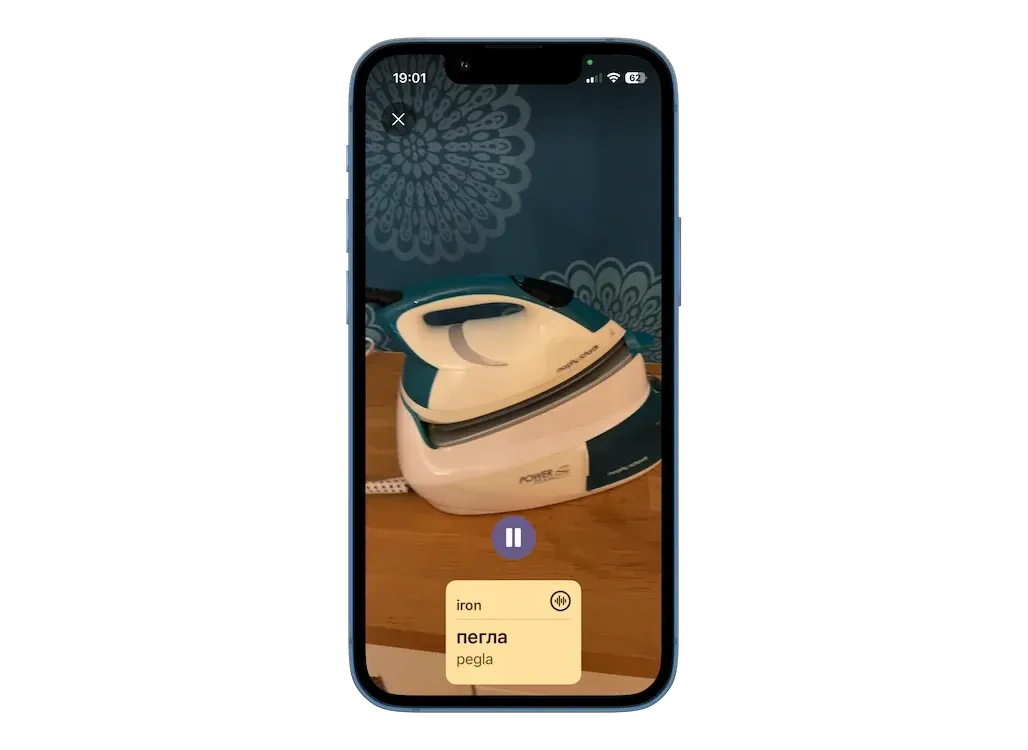
VoxieCam identifying the correct word sense for "iron" (i.e. the appliance, not the metal)
The object recognition in VoxieCam uses a set of a few thousand English words; those are what it tries to recognise. Part of the project was to find a good set of common English "object" words or noun phrases that would be likely to come up in a camera view. An example word is iron. In my house, the iron is the kind that irons clothes. We also needed a translation for each word, and the AI decided to do that with Google Translate. Which translates iron as gvožđe in Serbian, which is iron the metal (the other iron is a pegla). How to fix this? One idea was to add more information, like asking Google to translate iron (as in ironing clothes). The trouble is that it then happily translates the whole sentence, not just the word iron. Anyone well versed in this kind of thing will know this is a very obvious issue to resolve, and one solution is to find more sophisticated translation APIs that can deal with different word senses. But the AI doing the coding can do this translation itself directly, it doesn't need to call an API. It is already multilingual, and perfectly capable of doing all the translation work as well, including managing word senses and spotting issues. It was only using the Google Translate API as that's free for smaller scale usage, to save on its own costs. So the final answer was simple: Claude Code just went and manually fixed a bunch of translations. It is not just coding! If you had a multilingual software engineer on your team, you could ask them to do manual translation work as well. They might complain, and you may decide they're paid too much for translation work. This is the same idea. But the AI speaks a lot of languages, doesn't complain, and costs £75 a month regardless.
A related example: the object recognition would often fire with many similar variants. For instance, it might say it has spotted a chair, an armchair, a reclining chair and a rocking chair, all for the same real world object. How best to collapse very similar concepts? Luckily the way that our selected machine learning system works allows it to calculate a similarity between concepts (we're working with embeddings). But what's the right threshold? You don't want apples and bananas to both become just fruit, but you might combine different styles of chair or desk. Once again, Claude Code to the rescue. It "manually" inspected results, decided what was sensible or not, and figured out thresholding and one-by-one exceptions by reviewing all of the more tricky categories it found.
It helps that I have experience with machine learning and AI and computer science generally, and have been involved in building many products, so I could steer a bit. But each of the problems above were solved within an hour or so, whereas I was expecting longer term blocks, lots of head scratching, many experiments.
Design review
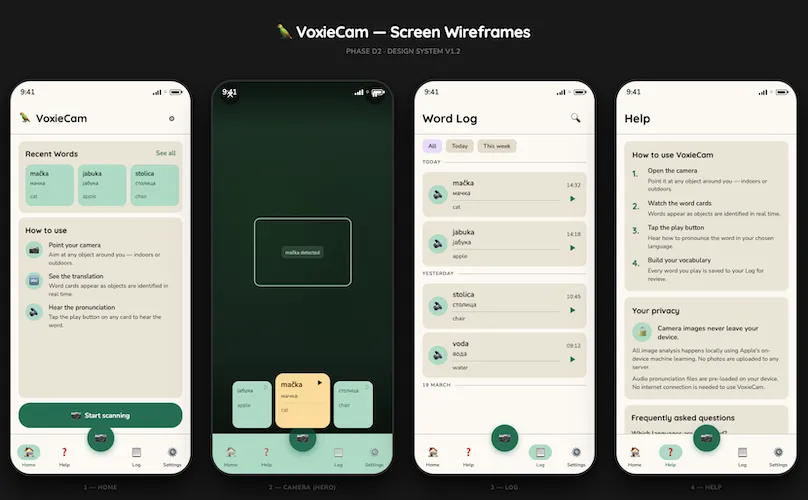 Preview generated by my Claude Code design sub-agent, to visualise its markdown wireframes, part way through the design process
Another kind of "manual" testing that typically needs an experienced designer: reviewing the interface and user experience, the graphic design and layout. I must admit I am still not entirely sure how this works so well. But I'm now very comfortable asking either Claude Code or Gemini to review a series of screenshots and look at colour choice, font sizing, layout, legibility, interaction flows, either to see if they meet an earlier specification it created, or to fix problems in that specification: things that don't look right or don't work well. I can usually tell something is off, but I am rarely enough of a designer to know how to fix it. The AI many not be as strong as a professional designer, but it is doing a far better job than I could, and it empowers me to create more sophisticated interactions. A great moment was when I asked it to automate some of this, so it could spin up designs on an iPhone simulator, screenshot them as it navigated through screens, and then visually compare those to how they're supposed to look, all without intervention. For the more dynamic interface elements, I would describe problems. The scrolling is too jumpy, it doesn't snap to the centre fast enough, it bounces too much at the ends (there was one unique navigation element that took a while to get usable). Off it would go and make adjustments, and we've ended up with a pleasurable experience. Not perfect, we could continue fine tuning, but certainly ready for external testers.
5. Early days
This is fun, and it is empowering. You're not held back by lacking a detailed understanding of the latest libraries, you can work with an unfamiliar set of tools. You don't need to spend ages messing about fixing weird dependency issues or compilation errors or indeed hardly anything if you don't want to. Never looking at or reviewing or writing actual code is weird. Even over a very short project I've experienced all the things that people are saying: the brain fry burnout, the addictiveness, the strange stop/start rhythm of your day, not coding but paying attention every few minutes. Clearly it is early days. There's a plethora of overlapping concepts (sub-agents and skills for instance), we're in the inventive period, the "era of ferment". What does this mean? Don't judge, because it'll be different anyway in a month. Don't overcommit to specific tools or systems. Remain flexible. Set high expectations for what you'd like to achieve; if this year's model can't do it, perhaps next year's will. Go make an app.
The next part of this post provides more detail on how the VoxieCam app was created, and is useful if you want a better sense of the sheer number of technical challenges that can be tackled in a short space of time (or if you're curious!).
More about VoxieCam
I asked the AI to help me capture a bit more about what's been created. It wasn't strictly 4 days, as there was a little preparation before that, and quite a bit of administrative hassle after (getting a production build into TestFlight). This might give you an idea of what we produced (all of it created by Claude Code):
| TypeScript (we used React Native) | 12,400 lines, 67 files |
| Swift (native modules) | 660 lines, 5 files |
| Python (scripts) | 3,700 lines, 14 files |
| Audio files | 4,200 |
| Images | 38 |
| Test cases | 216 |
| Commits | 179 |
| Spikes | 11 |
In terms of features other than what I've already described: there's a male and female voice, there's app analytics and crash analytics, it works in dark mode, you can choose between the two Serbian alphabets, it has a log of all the words it has spoken for you, you can "freeze" the live view to make it easier to scroll through existing words, there's a support page and privacy policy on a small web site, there's a help screen, lots of things have subtle animations, quite a few accessibility features. It has also had some performance and battery usage testing, as well as review on different screen sizes and font size settings. Basically a lot more than an MVP. Which is the temptation when someone else is doing most of the work!
Technical challenges
Three aspects took up the majority of the thinking and experimentation time, both for me and the AI, and all had multiple iterations and discarded prototypes and designs.
Object recognition
The AI's initial idea was to use the object detection built in to the iPhone. I had no idea this existed. A great, simple solution. Unfortunately, once implemented and in testing, it didn't seem very usable. Claude figured out why: it only has around 1000 objects it can detect, and not necessarily all useful ones. At this point I was quite enamoured with the idea of doing everything on-device. Using a pay-as-you-go LLM API would inherently limit how far I could distribute the app due to the costs. This is where Claude's spike came up with the goods: the MobileCLIP open source library (created by Apple in 2024) does zero shot classification, and has only 63M parameters (for the neural network as it runs on the phone), which becomes 70MB within the size of the app you'd download. Because of the neural processing cores in iPhone chips, it can run fast, keeping up at 3 frames per second, although as it can also run on CPUs it means you can also test on your Mac. "Zero shot" means it can assign labels to objects even if it has never seen those labels before. You give it a list of words (I'm skipping a lot of technical detail!), and it detects them in images. Which is magical.
If attempting to create this app myself, I would have baulked at this point and looked for an easier solution. This needs some decent understanding of machine learning, creation of native Swift code, pre-processing work to create embeddings, changing how the app compiles and builds. Definitely tricky. But Claude zipped through this part fairly quickly, including my request to go find test images with known labels, and try it all out.
I love the idea that we now have this processing all on device, as it also means the images never leave the phone: a big privacy win.
Translation and audio
As with the object recognition, the AI's first suggestion was to use Apple's built-in translation and text-to-speech (TTS). However, this doesn't cover Serbian. So we decided to split into two tracks: a track for languages Apple can handle (that includes a lot!), and a track where we need to provide a custom set of translations and audio. For the Apple translations, the user is prompted to download a language pack (this part of the app still needs finishing).
For either one, we needed a decent set of English words for objects to recognise. This still needs refinement, but is workable. It was a research spike with both Claude and Gemini, looking into the most common words, how to select ones that are "objects" (we don't need abstract nouns like nostalgia or bravery for instance), assessing "concreteness" (a concept the Belgian cognitive psychologist Marc Brisbaert has worked on), checking into how the big image classifiers like ImageNet do it, looking into synonyms from WordNet. We still ended up with too many plain weird words on the list, like canine or farmhand, and a lot of very specific plant and animal species, like elephant seal, marsh hawk or barrel cactus. Filtering the list down was something that Claude's AI understood, and it could both write code and do it "manually" by making choices about words and categories. This piece of work was very much a partnership though, with quite active human participation from my side.
For the Serbian audio, although there are a lot of great commercial TTS services out there (like ElevenLabs), they're usually more tuned to deal with sentences and longer samples, and you end up with odd intonation on single words. Claude suggested Narakeet that I hadn't heard of. It was a clear winner, with high quality pronunciations. Not surprising as it seems the founder, Gojko Adzic, is himself Serbian.
User experience
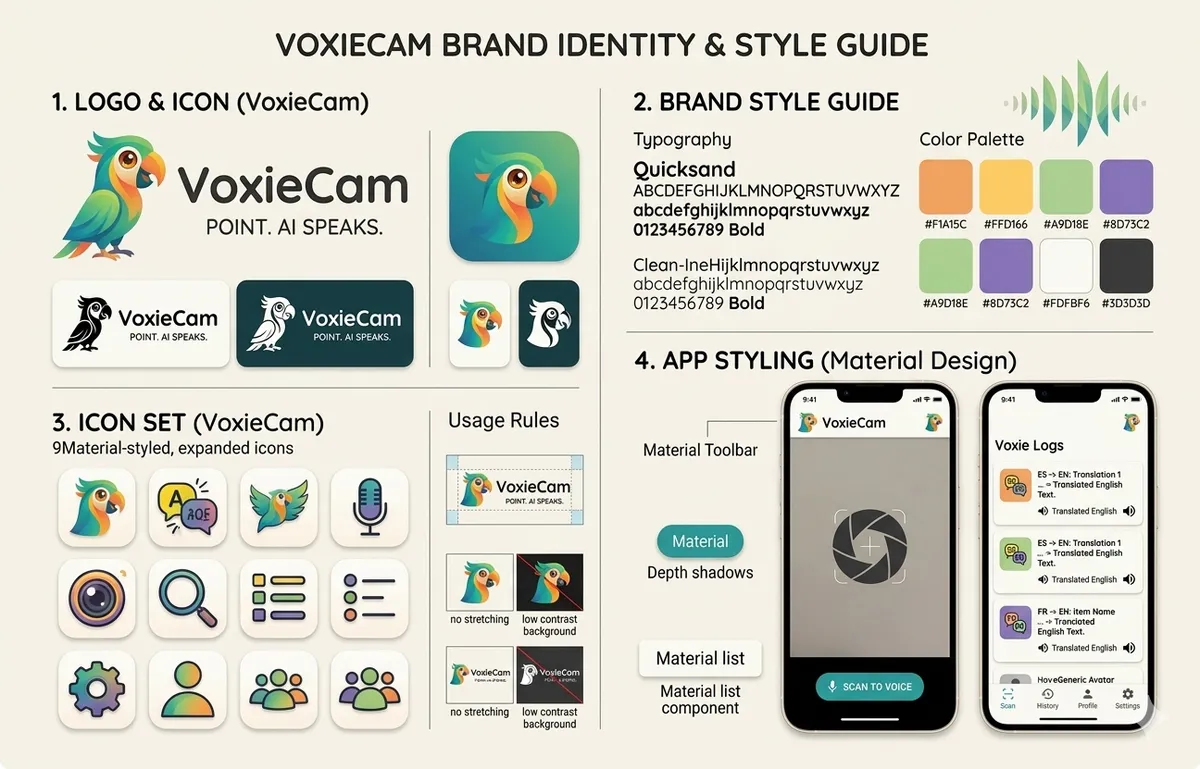 The style guide selected from Gemini's suggestions (created as a single Nano Banana generated image), most of which has been retained
I decided to create a separate sub-agent for design. It was crafted to specialise in UX design, graphic design, usability, content design, accessibility as well as understanding the venerable Apple Human Interface Guidelines and the specific React Native Paper library we'd decided to use (based on Google's Material Design). It was a different skillset to work with, although I wasn't convinced that the main agent couldn't have just done it all. But it was fun when they'd hand work over to one another, saying "this requires design insight", or "this needs engineering overview". The design agent ended up creating wireframes, animation and haptics specifications, icons, a full design language with palettes, fonts and so on, with web previews so that it was easy for me to review.
The final technical challenge, that probably took the longest as it needs human testing, was the interface for seeing translations as they were detected and selecting between them. It is hard as the object detection works in real time and so new items come up rapidly, but you need some stability to see and select them. This was about the time that Google launched its Stitch system for AI UX design, so I gave that a try, and incorporated some suggestions back via my design agent. But in the end it was a series of Claude suggestions that ended up in the final design, with horizontally scrolling cards that would appear. I pushed quite hard at this point to improve the usability, asking to add haptic feedback, fine tune the movement and snapping, think about tricky edge cases. This is likely the part that will change the most following wider user testing.
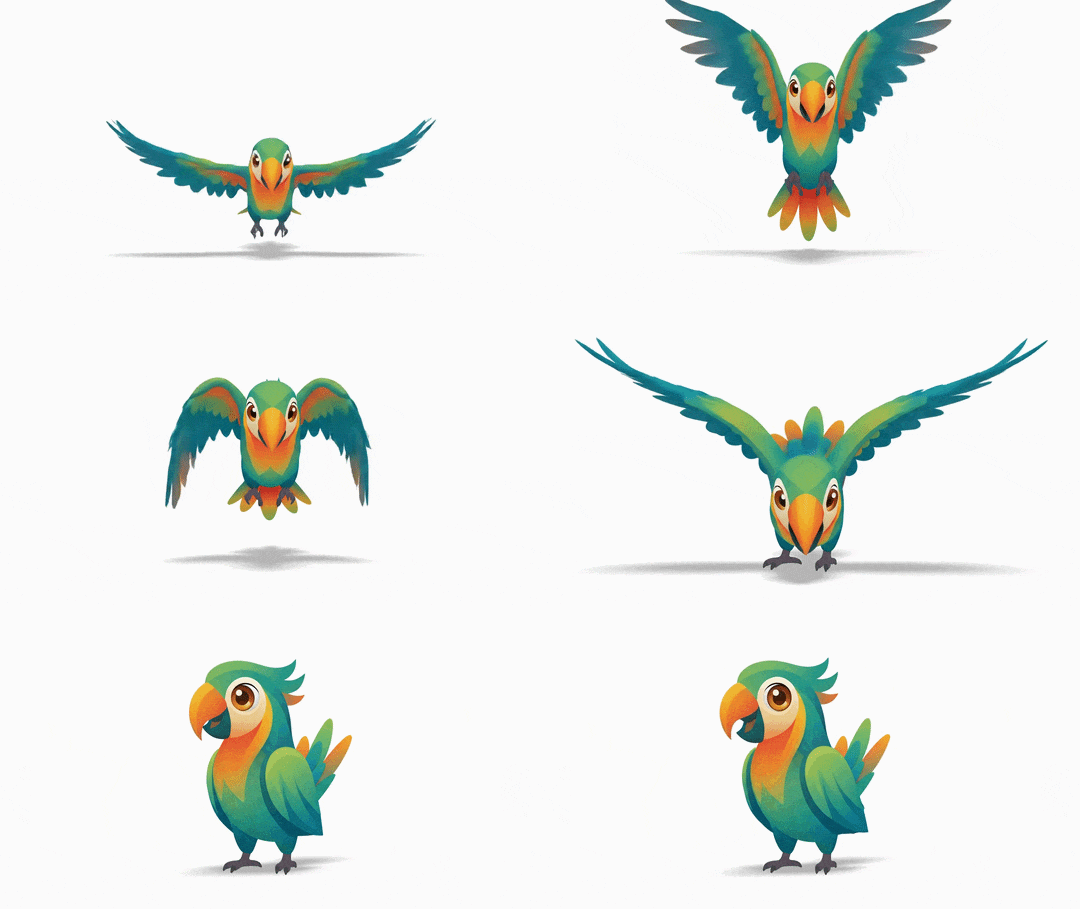
And we have a parrot as the logo. Originally Gemini generated a nice design with a chameleon. However, when asked, it admitted that many organisations had a very similar lizard logo. It strongly recommended a lemur. I preferred the parrot. It relevant, as parrots can learn to speak phrases, but mostly I liked the colourfulness.
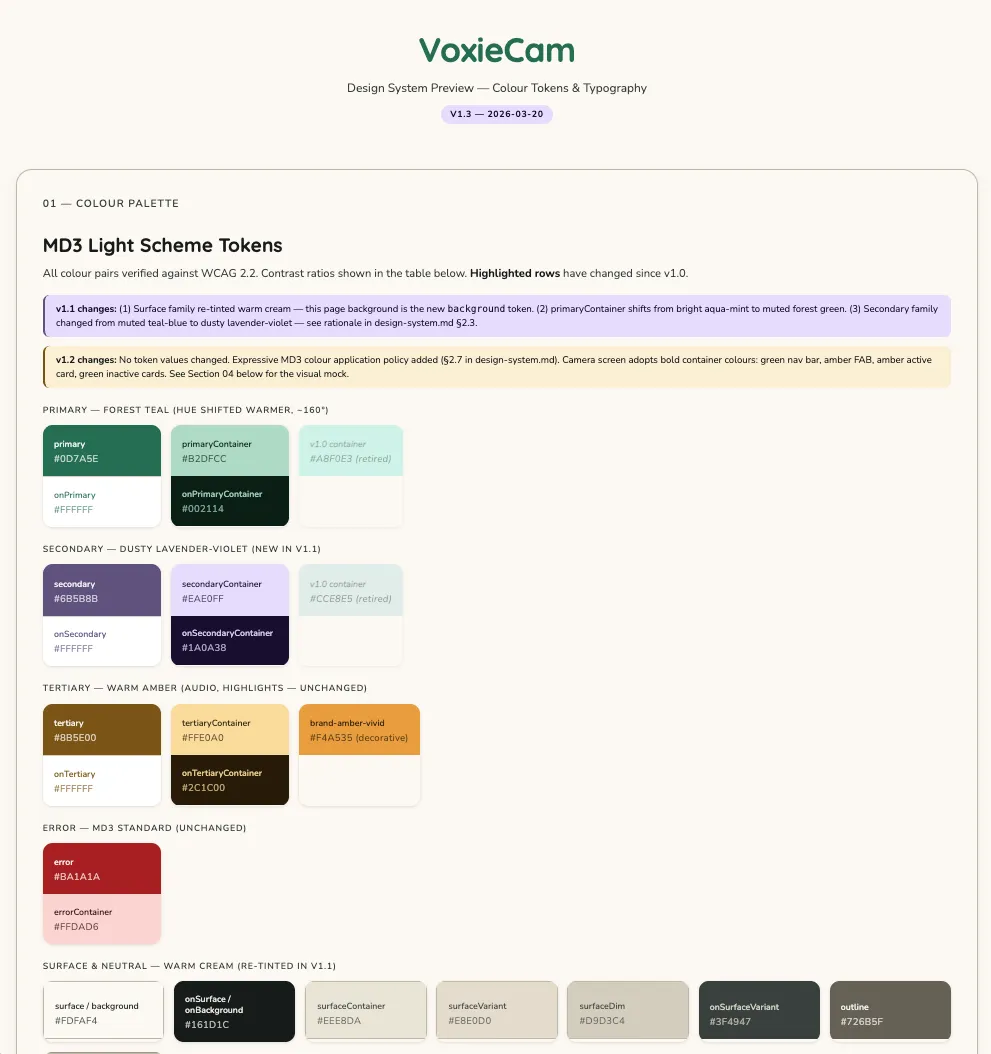 Part of the design system web preview
Costs: Under £100 of AI
Having started on API pricing with Claude, and then quickly running out of quotas on Claude Pro, I eventually realised it was better to upgrade to the Max plan at £75 / month. On a pro-rated basis, that's cost maybe £35. The Apple developer programme is necessary to get an app out to external testers, and is £79 for a year. I spent £57 on Narakeet credits for text-to-speech audio (that included paying for audio for words we later pruned out). I upgraded to a paid Expo plan for a month at £14, otherwise you're in the build queue for a couple of hours for each production build. I happen to also have a Gemini subscription, and that generated the branding, so let's add in £8 pro-rated for the part month. Otherwise I am on free plans for Sentry (crash analytics), PostHog (app analytics), Netlify (hosting the small companion web site). The Google Translate API allows 500,000 free characters a month. The free version of the Adobe Express web app is very good at background removal, but I've since realised that the built-in Preview on a Mac now does it as well.
| Total AI costs | £100 |
| Total including various App Store costs | £193 |
What didn't work well
It is telling that this didn't happen more often (it's much less of a problem than it used to be): I had at least one interaction where the AI was convinced it was correct and repeatedly refused to accept that there was a bug, explaining it away in various ways. I learned that sometimes you need to really insist, hold your ground and instruct it quite explicitly to accept that there's a problem. This never happens when the agent can itself see the output or behaviour, but it can happen when it is something glitching on a real phone and reported by a user. Conversely, I also had experience of bugs that occurred on the phone, but hadn't happened on the simulator, where Claude could fix it just from a description.
My own inexperience with Claude Code caught me out sometimes. I struggled when trying to run my main agent and design agent in parallel in two different sessions but connected to the same directory and repository. They both got very confused! A full multi-agent scenario will be a future exploration.
Finally, it was interesting to start considering the tradeoff between what the agent should do and what I should do. Running a script to generate several thousand audio files takes a long time, and generates a bunch of logs. Much easier for me to run that separately and tell the agent when it's done. It doesn't use up AI attention or tokens. Other times, it was easier to ask the agent to try to run build and compile tasks, as it could iterate on fixes if things failed, but then revert back to me once things were stable. This new engineering practice requires refreshing our assumptions about who does which work. The traditional senior/junior split may not apply, and knowing when to take the keyboard back is a new developer skill.
All of these feel like the sorts of problems that will be addressed this year as we get new versions of agentic engineering tools and better working practices emerge.
How did we begin?
I'll leave you at the end of this post with how I started this project. This is the first iteration of the architecture document I gave to Claude when we got started (before we'd chosen VoxieCam as the name):
Introduction: "Shtayeto" will be an iOS app that allows a user to use the camera to identify common objects in a scene, see translations in another language, and hear those translations spoken. It will help people learning a new language. Although it can work with any language, one of the early examples will be Serbian, hence the name.
User flow: We are going to work iteratively, with an end to end testable app at each stage:
Hello world: Frameworks and tools set up, to the point of having a basic app that just says "Hello World" on the screen running in iOS Simulator.
Camera view: An intro splash screen, with a button to begin. Then a live view of the camera, with permissions handled. A button to exit back to the first screen.
Object labelling: Now we add labelling of common objects in the scene, as easily legible overlaid text boxes, taking care to manage the screen boundaries.
Translation: Now we add a language picker on the initial screen. As objects are labelled, live translations are shown instead of the English text. Use a latin alphabet rather than cyrillic at this stage, although that can also be a setting later.
Spoken translations: Now we add the ability for the user to select a translation and hear it spoken in the translated language.
UI polish: We'll now iterate to improve the UI. We may need to add a settings screen, to rearrange elements depending on usability. We'll add a layer of branding.
Test deployments: Deploy via TestFlight to some real users.
Getting to the end of writing this up, it feels like I'm describing a month or two's work with a team, rather than a few days solo with an advanced tool. And that's really the point.
That's all for now. I'll leave you with our lovely mascot (animation courtesy of Gemini):